GoHighLevel Client Onboarding: A Complete Agency Process From Sale to Launch
Winning a new client is exciting, but for a GoHighLevel agency, the real work begins after the contract is signed.
A poorly organized onboarding process can lead to missing information, delayed launches, broken workflows, incorrect CRM configurations, and frustrated clients.
A well-designed GoHighLevel client onboarding process does the opposite.
It creates a repeatable path from:
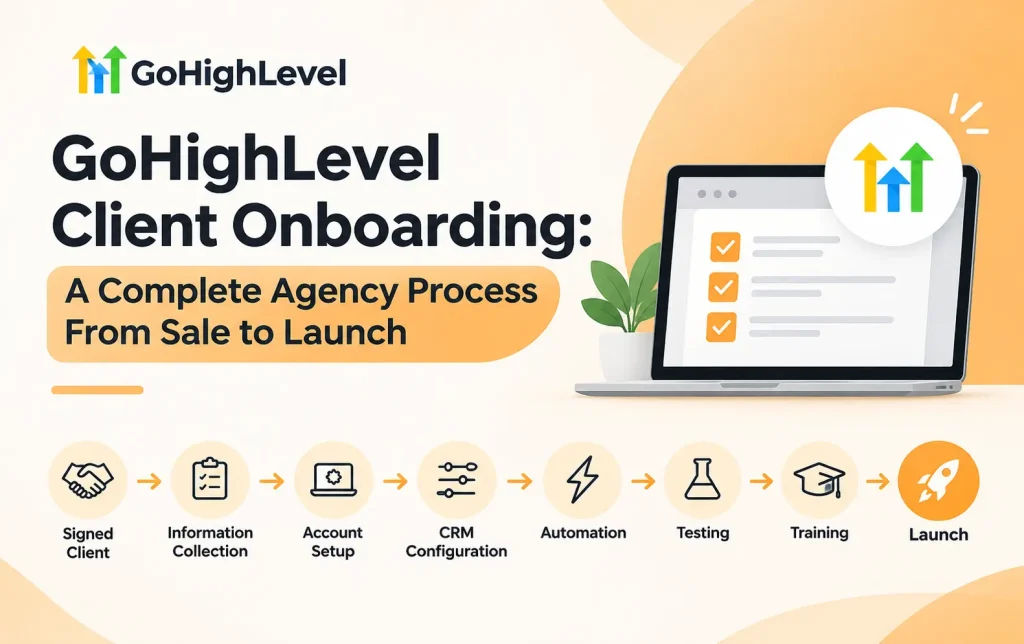
Signed Client → Information Collection → Account Setup → CRM Configuration → Automation → Testing → Training → Launch
For agencies managing multiple clients, having this process documented is especially important. You don’t want every new client to become a completely different project.
The goal should be to create a standardized onboarding framework that can be customized without rebuilding your entire delivery process from scratch.
Here is a practical agency process for onboarding GoHighLevel clients from sale to launch.
Why a Standardized GoHighLevel Onboarding Process Matters
Without a standardized process, agencies often rely on scattered messages, spreadsheets, emails, and individual team members remembering what needs to happen next.
That creates unnecessary operational risk.
A structured onboarding process helps your team:
- Collect client information consistently
- Reduce setup delays
- Avoid missing important integrations
- Deploy reusable CRM assets
- Standardize workflows
- Test automations before launch
- Keep clients informed
- Assign responsibilities clearly
- Launch accounts faster
- Scale client delivery
It also creates a better client experience.
The client should know what happens after signing, what information they need to provide, what your team is working on, and when they can expect the system to go live.
For agencies evaluating how to bring in specialized GHL support, see How to Choose a GoHighLevel Expert for Your Agency: 12 Questions to Ask.
What to Prepare Before the Client Starts
The best onboarding processes begin before the first onboarding call.
Create a standard onboarding checklist covering everything your team needs to launch the client’s GoHighLevel environment.
Depending on the project, this may include:
- Business name
- Website URL
- Logo and brand assets
- Business description
- Services
- Service areas
- Contact information
- Team members
- User access
- Calendar availability
- Lead sources
- Existing CRM data
- Pipeline stages
- Email information
- Phone/SMS requirements
- Payment information
- Third-party integrations
- Existing workflows
- Forms
- Funnels
- Booking requirements
You should also define which items are the client’s responsibility and which items your agency will handle.
This prevents the common situation where a project is technically ready but cannot launch because your team is waiting for one missing piece of information.
Step 1: Move From Closed Sale to Onboarding Kickoff
The transition from sales to fulfillment should be immediate and organized.
Once the client signs the agreement and completes the required payment, trigger your onboarding process.
A simple flow could be:
Deal Closed → Welcome Email → Onboarding Form → Internal Handoff → Kickoff Call → Build Begins
The internal handoff is important.
Your sales team should provide the fulfillment team with information such as:
- Client goals
- Services purchased
- Target audience
- Promised deliverables
- Important deadlines
- Existing systems
- Special requirements
- Communication preferences
The implementation team should not have to ask the client questions that the sales team already answered.
A documented handoff reduces repetition and creates a smoother experience.
Step 2: Collect Business Information, Assets, and Access
Once the onboarding process begins, collect everything required to configure the account.
A structured onboarding form can make this significantly easier.
Ask for information such as:
Business Information
Company name, address, phone number, website, services, locations, and hours.
Brand Information
Logo, colors, fonts, images, brand guidelines, and messaging.
CRM Information
Existing pipeline stages, lead sources, customer categories, custom fields, and required tags.
Communication Information
Email addresses, phone numbers, SMS requirements, templates, and communication preferences.
Calendar Information
Team availability, appointment types, booking duration, buffer times, and calendar rules.
Integration Information
Google, Stripe, Meta, Zapier, Make, payment platforms, external CRMs, websites, or other systems.
Never collect sensitive credentials casually through email or chat.
Use appropriate secure access and permission processes for systems that require authentication.
Step 3: Configure the CRM and Deploy the Right Snapshot
Once the required information has been collected, your team can begin building the client’s GoHighLevel environment.
Start with the CRM foundation.
Configure:
- Contacts
- Custom fields
- Tags
- Pipelines
- Opportunity stages
- Lead sources
- Calendars
- Forms
- Surveys
- User permissions
If your agency has a reusable snapshot for the client’s industry or service model, deploy the appropriate foundation instead of rebuilding everything manually.
For example, a home-service snapshot could include:
- New lead pipeline
- Missed-call text-back
- Lead follow-up
- Appointment reminders
- Estimate follow-up
- Review requests
- Lead qualification
- Internal notifications
However, a snapshot should be treated as a starting point, not a finished client account.
Every client has different services, processes, team members, calendars, and requirements.
This is why snapshot management becomes an important part of scalable GHL. Read more: GoHighLevel Snapshot Management: How Agencies Scale Client Accounts Without Rebuilding Everything.
Step 4: Customize Workflows, Funnels, Calendars, and Integrations
After the foundation is deployed, customize the system around the client’s actual customer journey.
Start by mapping:
Lead Source → Lead Capture → Qualification → Pipeline → Appointment → Follow-Up → Sale → Customer
Then determine which parts should be automated.
Common GoHighLevel workflows include:
- New lead response
- Missed-call text-back
- Appointment confirmation
- Appointment reminders
- No-show follow-up
- Lead nurture
- Sales follow-up
- Review requests
- Reactivation campaigns
- Internal team notifications
- Customer onboarding
Don’t automate a process simply because GoHighLevel allows it.
Every workflow should have a clear trigger, purpose, action, condition, and exit point.
For example:
New Lead → Instant SMS → Internal Notification → Lead Qualification → Appointment Booking → Appointment Reminder → Pipeline Update
This creates a system that supports the client’s actual sales process rather than a collection of disconnected automations.
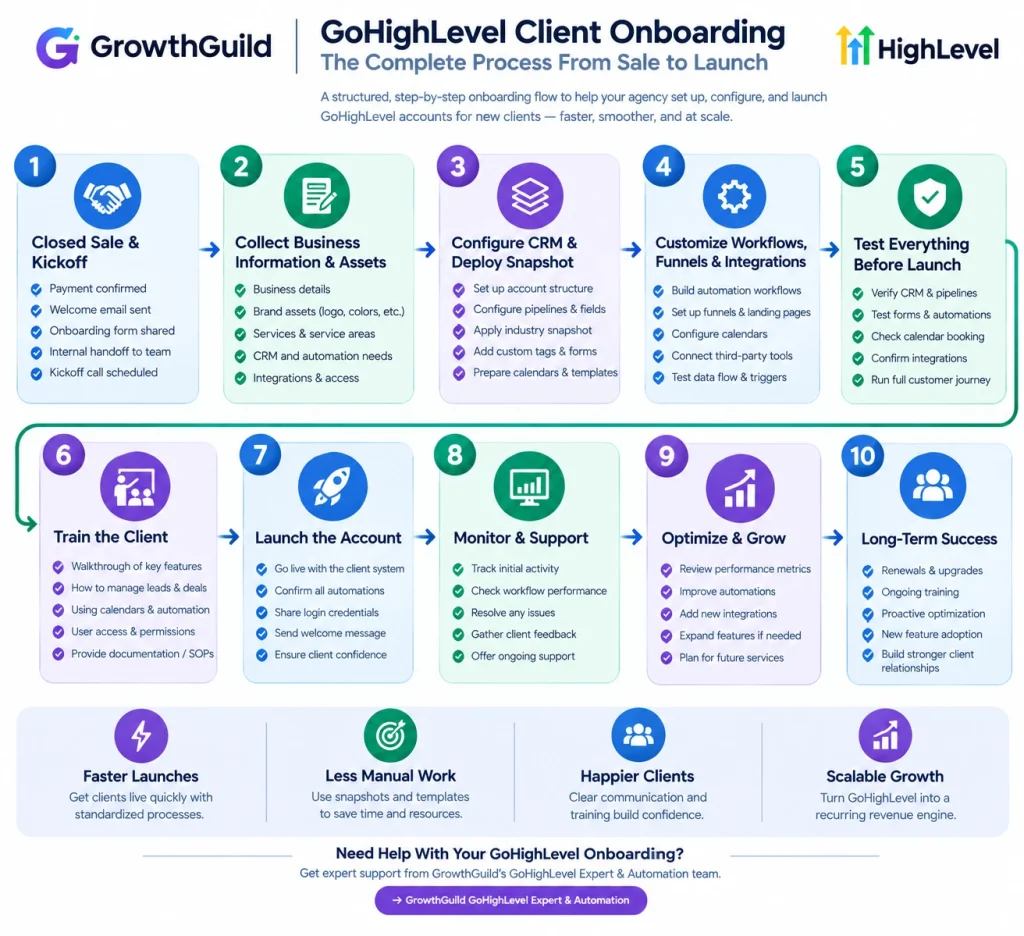
Step 5: Test Everything Before Launch
One of the biggest mistakes agencies can make is launching an account immediately after building it.
Every major component should be tested.
Create a QA checklist covering:
CRM
- Contact creation
- Custom fields
- Tags
- Pipeline movement
- Opportunity creation
Forms
- Submission
- Contact creation
- Correct field mapping
- Workflow triggering
Calendars
- Booking
- Confirmation
- Rescheduling
- Cancellation
- Notifications
Automation
- Workflow triggers
- Conditions
- Delays
- Email delivery
- SMS delivery
- Internal notifications
- Workflow exits
Integrations
- Data transfer
- API connections
- Third-party triggers
- Error handling
Funnels and Websites
- Forms
- Buttons
- Links
- Mobile layout
- Tracking
- Conversion events
Don’t only test the “happy path.”
Test what happens when a lead:
- Doesn’t respond
- Replies immediately
- Books an appointment
- Cancels
- Reschedules
- Submits a form twice
- Already exists in the CRM
- Changes pipeline stage
This is where experienced GHL implementation teams can make a major difference.
Step 6: Train the Client and Prepare for Launch
A technically correct system can still fail if the client doesn’t know how to use it.
Before launch, provide appropriate training.
Show the client how to:
- View contacts
- Manage opportunities
- Move pipeline stages
- Check appointments
- Respond to conversations
- Add users
- Review tasks
- Understand notifications
- Use relevant dashboards
- Handle basic CRM tasks
Training should be based on what the client actually needs.
A business owner who only needs to manage leads and appointments doesn’t need a two-hour explanation of every GoHighLevel feature.
Provide documentation or short SOPs for recurring tasks.
The goal is to make the client comfortable using the system without overwhelming them.
Step 7: Launch, Monitor, and Optimize the Account
Once QA is complete and the client is trained, launch the system.
But don’t consider the project finished the moment the account goes live.
The first few days are important.
Monitor:
- New leads
- Workflow execution
- Message delivery
- Appointment bookings
- Pipeline movement
- Integration activity
- Errors
- Client feedback
Create a post-launch review period.
For example:
Day 1: Check critical workflows and lead flow.
Day 3: Review activity and identify issues.
Day 7: Evaluate performance and client feedback.
Day 14: Review optimization opportunities.
This gives your team an opportunity to catch problems that weren’t visible during testing.
How to Make GoHighLevel Client Onboarding Scalable
If your agency only has a few clients, manual onboarding may seem manageable.
As the client count grows, it becomes a problem.
The solution is to standardize the repeatable parts of the process.
Create:
- Onboarding forms
- Internal checklists
- SOPs
- Industry-specific snapshots
- Workflow templates
- Funnel templates
- Calendar templates
- QA checklists
- Training documents
- Launch checklists
- Client communication templates
Then divide the process into clear stages.
For example:
- Sales → Client Closed
- Onboarding → Information Collected
- Implementation → CRM + Snapshot + Automation
- QA → Testing
- Training → Client Ready
- Launch → System Live
- Optimization → Ongoing Management
This allows different team members to own different stages without losing visibility.
GrowthGuild’s GoHighLevel Expert & Automation service can support agencies that need help with CRM setup, automation, workflows, funnels, integrations, troubleshooting, training, and ongoing GHL management.
FAQs
1. What is GoHighLevel client onboarding?
GoHighLevel client onboarding is the process of moving a new client from a signed agreement through CRM setup, automation, integrations, testing, training, and final launch.
2. What information should a client provide during GHL onboarding?
Clients may need to provide business information, brand assets, services, team details, calendars, CRM requirements, integrations, communication settings, and other information required to configure their account.
3. How long does GoHighLevel client onboarding take?
The timeline depends on the complexity of the account. A simple CRM setup may take considerably less time than a system involving multiple workflows, integrations, funnels, calendars, and custom automation.
4. Should agencies use snapshots for client onboarding?
Yes. Reusable snapshots can help agencies standardize recurring CRM assets and reduce the amount of work required to build similar client accounts from scratch. Each snapshot should still be customized and tested for the individual client.
5. What should be tested before launching a GoHighLevel account?
Agencies should test CRM data, forms, workflows, calendars, emails, SMS, integrations, pipelines, notifications, funnels, and important customer journeys before the account goes live.