GoHighLevel Snapshot Management: How Agencies Scale Client Accounts Without Rebuilding Everything
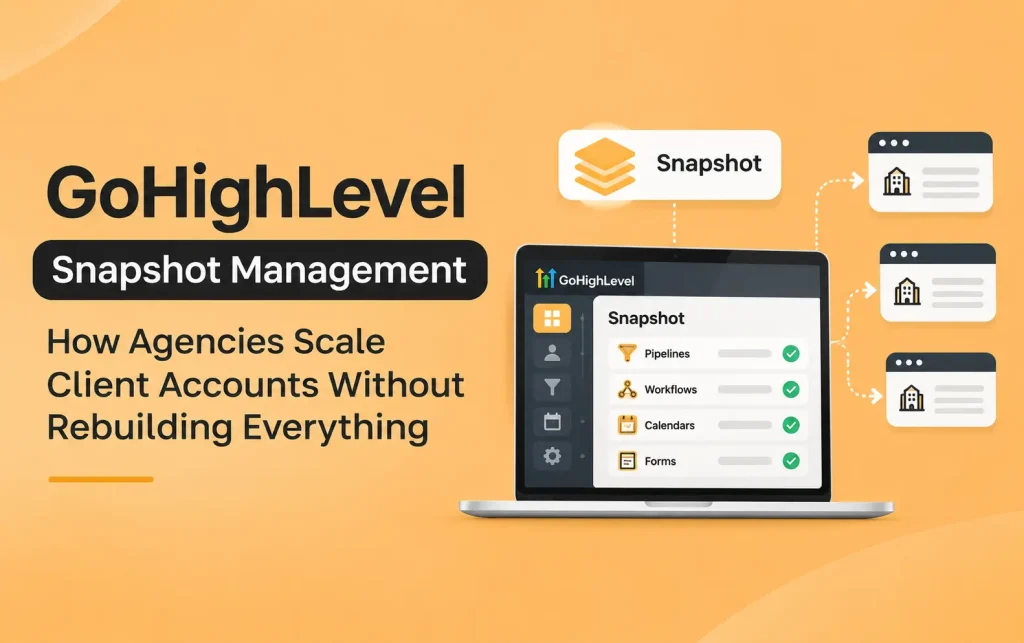
Building a GoHighLevel account from scratch for every client might work when your agency has three or four customers.
It becomes a completely different problem when you're managing 20, 50, or 100+ client accounts.
Your team shouldn't have to rebuild the same pipelines, workflows, forms, calendars, funnels, custom fields, and other CRM assets every time a new client signs.
This is where GoHighLevel snapshot management becomes extremely valuable.
A GoHighLevel Snapshot allows agencies to capture reusable configurations from a sub-account and deploy those assets across other sub-accounts. HighLevel describes Snapshots as reusable templates that can include assets such as workflows, funnels, calendars, forms, custom fields, emails, and more.
But simply creating a Snapshot isn't enough.
The real value comes from managing, organizing, updating, testing, and deploying Snapshots correctly.
This guide explains how agencies can use GoHighLevel Snapshots to create a more repeatable client-delivery system without constantly rebuilding their CRM infrastructure.
What Is a GoHighLevel Snapshot?
A GoHighLevel Snapshot is essentially a reusable template created from a configured sub-account.
You first build a source account containing the assets you want to reuse. You then create a Snapshot from that account and apply the configuration to other sub-accounts. HighLevel specifically notes that you don't build a Snapshot directly from scratch; the source sub-account is configured first, then captured as a Snapshot.
For an agency, this means you can create a proven system once and reuse it.
For example, a GrowthGuild agency serving home-service businesses could create a Snapshot containing:
- Lead pipeline
- Pipeline stages
- Custom fields
- Lead forms
- Appointment calendars
- Missed-call text-back
- Lead follow-up
- Appointment reminders
- Review request workflows
- Email templates
- SMS templates
- Internal notifications
When a new client signs, the team can deploy that foundation instead of starting from an empty account.
The client still needs customization, but the repetitive foundation is already there.
Why Snapshot Management Matters for Growing Agencies
The biggest benefit is simple:
Build once. Reuse many times.
Without Snapshots, your team may repeatedly perform the same tasks:
Create Pipeline → Create Fields → Build Workflow → Create Form → Create Calendar → Build Funnel → Configure Notifications
With a well-managed Snapshot, the process becomes closer to:
Select Snapshot → Load Assets → Customize → Test → Launch
That can reduce implementation time and create greater consistency between client accounts.
Snapshots can also help agencies standardize proven systems across multiple clients, locations, or vertical-specific offers. HighLevel's current Snapshot tools support selective asset inclusion, refreshing, viewing assets, and pushing updates to linked sub-accounts.
This is especially useful when your agency has a repeatable service model.
For example:
HVAC Snapshot
Plumbing Snapshot
Roofing Snapshot
Real Estate Snapshot
Each can contain a different CRM and automation foundation designed around that industry's customer journey.
What Should an Agency Include in a Master Snapshot?
Your Snapshot should contain the reusable parts of your system, not every piece of information from an existing client account.
Useful assets may include:
- Pipelines
- Pipeline stages
- Workflows
- Forms
- Surveys
- Calendars
- Email templates
- Custom fields
- Custom values
- Tags
- Funnels
- Landing pages
- Membership content
- Services
- AI-related assets where appropriate
HighLevel's documentation lists many of these configuration assets as Snapshot-compatible. However, important client-specific information such as contacts, appointments, conversations, reputation data, Stripe connections, and integrations is not transferred as part of a standard Snapshot.
That distinction is critical.
Your Snapshot should be treated as the operating framework, not a copy of the entire client's business.
For example, you want to copy:
"New Lead Follow-Up Workflow"
but you don't want to accidentally treat:
"John Smith's contact record"
as part of your reusable template.
How to Build a Scalable GoHighLevel Snapshot
Start with one clean source account.
Don't create your master Snapshot from a messy client account containing years of unused workflows, duplicate forms, outdated campaigns, and client-specific information.
Instead, create a dedicated source environment.
Build your ideal system there.
A basic process looks like:
Define Client Type → Map Customer Journey → Build CRM → Build Automations → Create Forms & Calendars → Build Funnels → Test Everything → Create Snapshot → Document the Assets
The source account becomes your blueprint.
Give the Snapshot a clear name that explains its purpose.
For example:
HVAC Lead Generation v1
is much better than:
Snapshot Final New 2
Good naming becomes increasingly important when your agency manages multiple Snapshots.
If you're building a broader white-label GHL infrastructure, connect this article to GoHighLevel White-Label Setup for Agencies: What You Need to Launch.
White-label setup establishes the broader agency infrastructure, while Snapshot management helps standardize the actual client delivery.
How to Deploy a Snapshot to a New Client
Once a new client signs, your team can use the appropriate Snapshot as the starting point for the new account.
The process can look like:
Client Signs → Select Industry Snapshot → Create/Prepare Sub-Account → Load Snapshot → Customize Branding → Configure Client-Specific Settings → Connect Required Integrations → Test → Launch
HighLevel also provides dependency handling for supported assets. For example, workflows and email templates may reference other assets such as custom fields, custom values, tags, pipelines, and templates. HighLevel's current dependency tools can identify and include available supporting assets when creating, refreshing, or loading Snapshots.
Even with dependency support, your team should review what is being loaded.
Never assume that loading a Snapshot means the client account is automatically ready for production.
How to Update a Snapshot Without Breaking Client Accounts
This is where Snapshot management becomes more important than simply creating a Snapshot.
Imagine your agency discovers a better lead follow-up workflow.
You update the source account.
Does every client account automatically receive the change?
No.
HighLevel states that changes made in the source sub-account do not automatically update the existing Snapshot. You need to refresh the Snapshot to capture the changes and then use the appropriate update process to distribute them.
The process is:
Improve Source Account → Refresh Snapshot → Review Changes → Select Destination Accounts → Push Selected Updates → QA Client Accounts
HighLevel's current Snapshot tools allow agencies to push selected updates to linked sub-accounts rather than simply rebuilding the entire account.
This selective approach is important.
You may want to update a workflow across 30 accounts without replacing unrelated client-specific assets.
Snapshot Management Best Practices for Agencies
A scalable Snapshot system needs rules.
Use Version Numbers
For example:
HVAC Snapshot v1.0
HVAC Snapshot v1.1
HVAC Snapshot v2.0
This makes it easier to understand what changed.
Keep a Clean Master Account
Don't use your master Snapshot account as a testing ground for random experiments.
Separate Core and Client-Specific Assets
Your reusable system should remain distinct from client-specific customizations.
Test Before Pushing
Every major Snapshot change should be tested in a controlled environment before distributing it.
Document Major Changes
Keep a simple change log.
For example:
v1.1 — Updated lead follow-up timing
v1.2 — Added appointment reminder workflow
v1.3 — Updated pipeline stages
Review Dependencies
HighLevel's dependency system can help identify supporting assets, but automatic dependency detection has specific coverage limitations. Review the destination configuration instead of assuming every relationship will be handled automatically.
Don't Push Every Change
Not every source-account change belongs in every client account.
Use selective updates when clients have customized systems.
Common GoHighLevel Snapshot Mistakes
Poor Snapshot management can create problems just as easily as it can solve them.
Creating a Snapshot From a Messy Account
If your source account contains unnecessary assets, those problems can spread to every account using the Snapshot.
Treating the Snapshot as a Complete Client Account
A Snapshot is a reusable configuration, not a replacement for client-specific setup.
Forgetting to Refresh
Changes made to the source account aren't automatically reflected in the existing Snapshot.
Pushing Updates Without Testing
A broken workflow can become a problem across multiple client accounts if you distribute it without QA.
Overwriting Client Customizations
A client may have customized a workflow, form, pipeline, or other asset.
Always understand what you're changing before pushing updates.
Poor Naming
If your agency has 20 Snapshots called "Final," "New," and "Updated," your team will eventually use the wrong one.
No Documentation
Your team should know what each Snapshot contains, who it is for, and when it was last updated.
How Snapshots Connect With Onboarding and SaaS
Snapshots become even more powerful when they are connected to your broader agency operations.
For client onboarding, a Snapshot can provide the reusable technical foundation while your onboarding process handles client-specific information and configuration.
The flow becomes:
Sale → Client Onboarding → Select Snapshot → Deploy CRM Foundation → Customize → QA → Launch
For a deeper look at this process, Read GoHighLevel Client Onboarding: A Complete Agency Process From Sale to Launch.
Snapshots can also support a SaaS model.
An agency can package a predefined CRM and automation environment into a recurring offer, allowing new customers to receive a standardized configuration during account provisioning.
For agencies moving toward this model, see GoHighLevel SaaS Mode Setup: What Agencies Need Before Selling CRM.
This creates a powerful connection:
Snapshot → Onboarding → SaaS → Recurring Client Delivery
Instead of treating each client as a completely custom implementation, the agency can build a repeatable product.
How GrowthGuild Can Help With GoHighLevel Snapshot Management
Snapshots can save agencies significant implementation time, but building the right Snapshot architecture requires more than copying a collection of workflows.
Your team needs to determine:
- What should be standardized
- What should remain client-specific
- Which assets depend on each other
- How updates should be tested
- Which accounts should receive updates
- How changes should be documented
- How Snapshots fit into onboarding
- How the system supports future growth
GrowthGuild helps agencies build and manage GoHighLevel systems across CRM architecture, workflows, funnels, integrations, client onboarding, automation, troubleshooting, and ongoing account management.
Our GoHighLevel Expert & Automation service can support agencies that need a repeatable system for managing multiple client accounts without rebuilding the same infrastructure again and again.
A well designed Snapshot system doesn't just save your team time.
It creates a more consistent, scalable, and manageable client-delivery operation.
If your agency is adding clients faster than your team can build their GHL accounts, it may be time to stop rebuilding and start standardizing.
FAQs
1. What is a GoHighLevel Snapshot?
A GoHighLevel Snapshot is a reusable template that captures selected configuration assets from a sub-account so agencies can reuse them across other client accounts.
2. What can a GoHighLevel Snapshot include?
Snapshots can include reusable assets such as workflows, funnels, calendars, forms, emails, custom fields, custom values, and other supported account configurations. Contacts, appointments, conversations, reputation data, Stripe connections, and integrations are not included in standard Snapshots.
3. Do GoHighLevel Snapshots automatically update client accounts?
No. Changes made to the source account do not automatically update the existing Snapshot or client accounts. The Snapshot must be refreshed, and appropriate updates must then be pushed to selected linked accounts.
4. How do agencies use Snapshots to scale GoHighLevel?
Agencies can create standardized CRM and automation systems once and reuse them across multiple client accounts, reducing repetitive setup work and creating greater consistency.
5. Should every client receive the same GoHighLevel Snapshot?
Not necessarily. Agencies should use industry appropriate Snapshots and customize them for each client's services, processes, branding, integrations, and requirements.